A camera matching and film emulation plug-in for DaVinci Resolve.
StudioMatch erases the differences between cameras from measured color data, not eyeballed guesswork. Pick the color space your footage is in, pick the one you want it in, and the image transforms to match. It works like a color space transform, but built from what the cameras actually recorded — then put real film texture on top: grain, halation and acutance measured off the same stock. Realtime at 8K, native in Resolve, no quality loss.
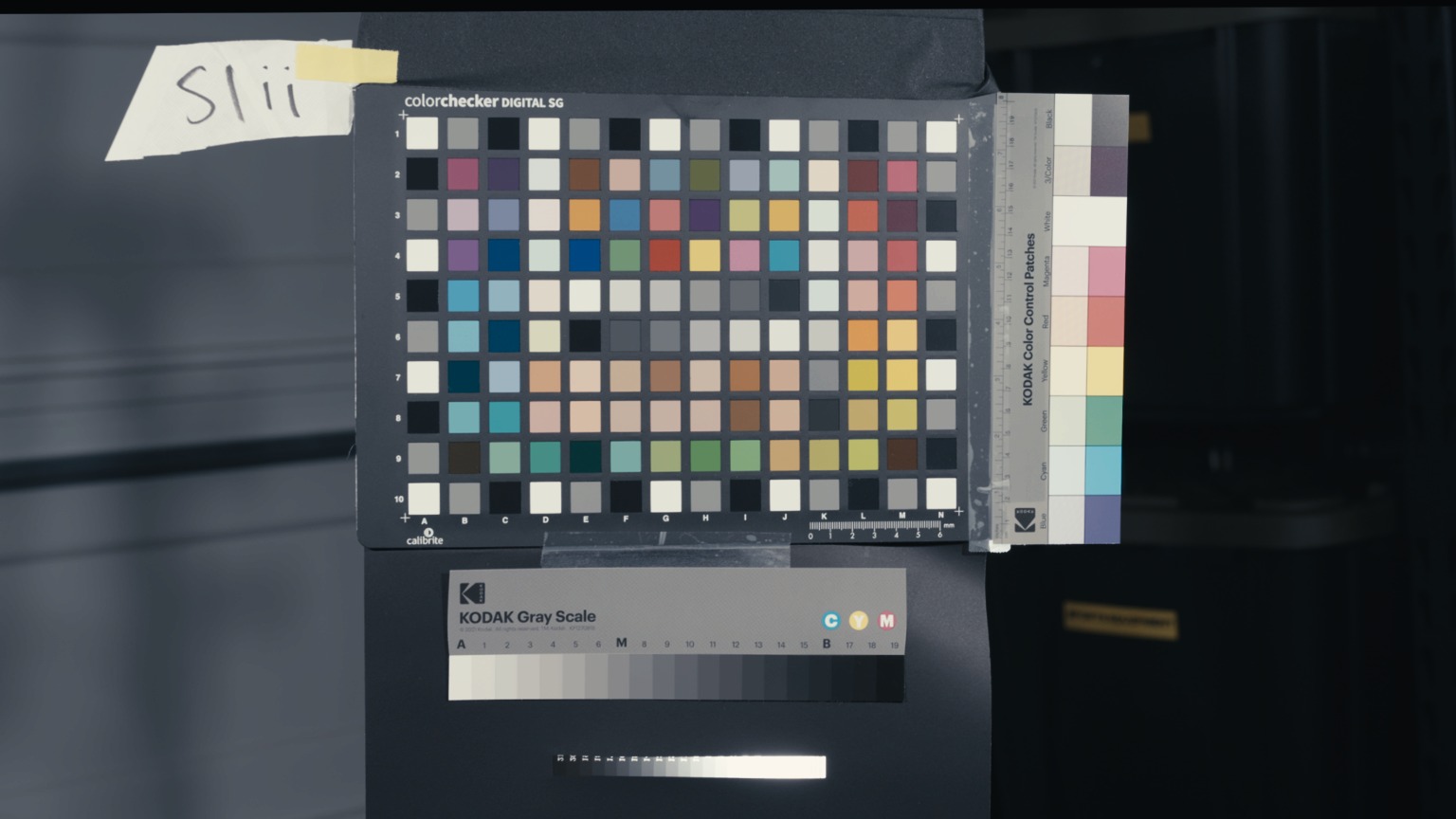
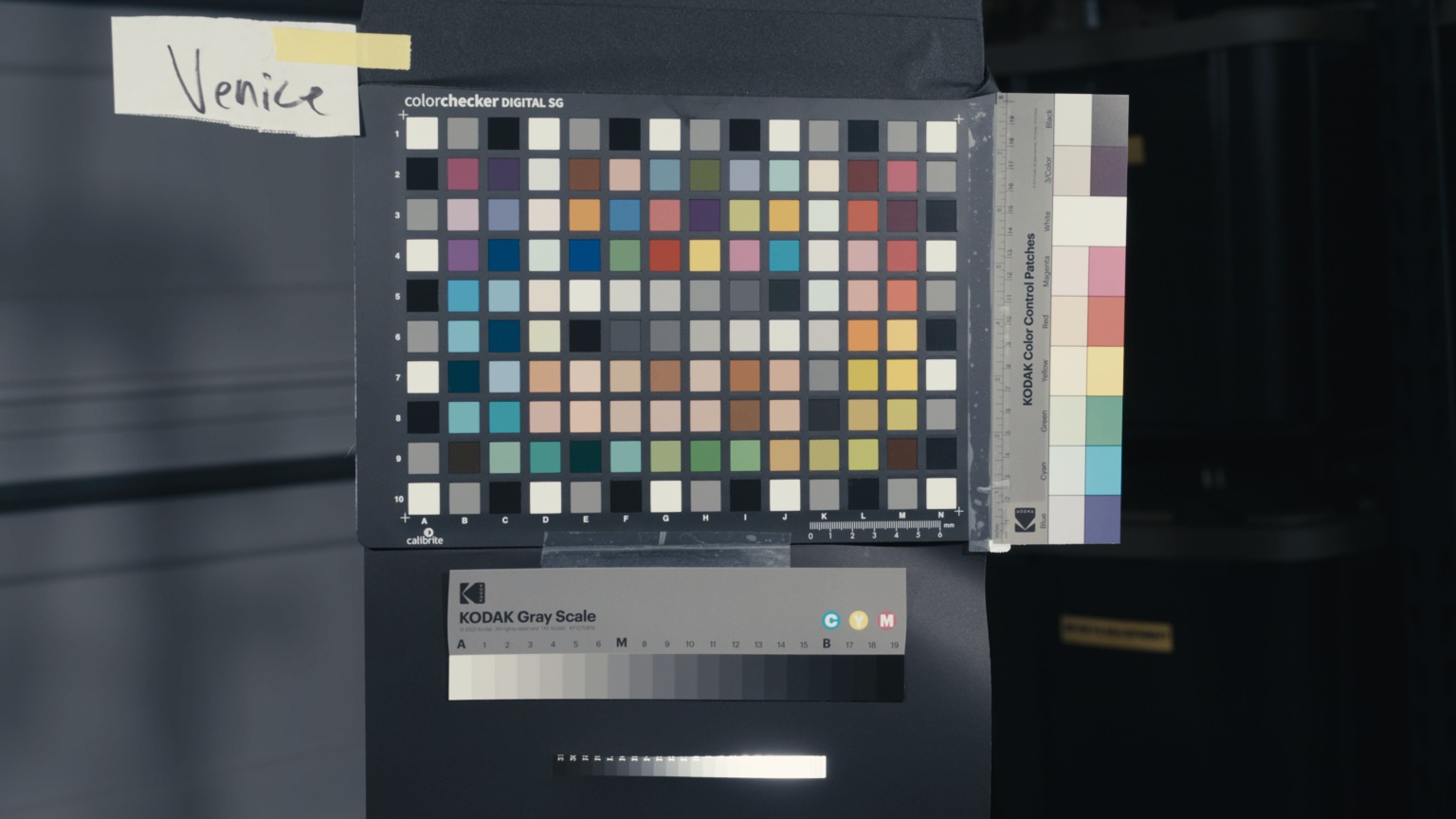
Drag the divider to compare, and toggle StudioMatch on and off. Open the full comparison tool →
Drop StudioMatch on a node in DaVinci Resolve, choose the source color space your footage was recorded in (V-Log, LogC3, S-Log3, and so on) and the target color space or film stock you want it to become, and the image transforms to match. Same two menus as a color space transform, and the output is a real, standard color space, so your LUTs, CSTs and display transforms downstream behave exactly as they would on native footage. It runs on the GPU, realtime, at full resolution, the same transform for playback and final render. No draft mode, no quality split.
Other tools pick a lane. Camera-match plug-ins match cameras. Film-emulation plug-ins fake a look. StudioMatch does both, and its film match isn't an aesthetic guess. It's a measured rendition of a real motion-picture stock (Kodak Vision3 500T / 5219), captured on the same chart-on-film references as every camera in the library.
For film targets you also get a Neutralize control to pull toward a cleaner rendition and a Coupler control that drives film's dye-coupler saturation behavior, the way real stock builds color as exposure climbs. Both come straight from the measured chart-on-film data, so you're finishing with the stock's real response, not a stylized preset.
And the colour is only half of a film stock. StudioMatch runs the texture engine in the same node, and can import on-set GrainBox recipes: grain with real size, structure and motion, halation that blooms off highlights the way light scatters back through an emulsion, and acutance — the MTF response that decides how a stock resolves an edge. Choose the base your target was shot on, and grain scales the way it actually does between formats. It runs on the GPU with the match, so there's no second plug-in, no round trip, and nothing to line up afterwards.
Full 8K in real time on the GPU, CUDA / OpenCL on Windows, Metal on Mac. No render waits, no proxy dance. It's also crash-hardened: if the GPU path faults, it falls back to CPU rather than taking Resolve down.
A color space transform converts the encoding, using the manufacturer's published math, which assumes every camera sees color perfectly and identically. None do, which is why two cameras CST'd into the same space still don't match. StudioMatch converts the picture: same node, same two menus, but the numbers come from what each camera actually recorded of the same references, with mid grey landing on mid grey. Outside the measured range it blends into the true CST math, so it is never worse than one. It's an OFX node, so it composes with your CSTs, LUTs and grades.
Matches are post-processed to roll off cleanly in highlights and stay smooth on skin and gradients, instead of just scoring well on a chart and falling apart on texture.
It behaves like any other tool on the timeline, except this one erases the differences between your cameras.
Tell StudioMatch what your footage is: S-Log3, LogC4, LogC3, V-Log, Log3G10, D-Log, Blackmagic Film Gen 5, Apple Log. Each one was measured on a real camera, so it carries that camera's color, not just its curve.
Choose the color space you want it to become, so it looks like the camera that shoots that space natively, or choose the film stock to lay a measured film rendition over the whole show.
If it needs it, line up mid-grey with your footage's exposure, watch it transform in realtime, and grade on top. The creative look stays entirely in your hands.
Every camera is measured against the same controlled references, and not just reflective charts, which are limited in gamut. We also measure emissive targets across Rec. 2020 for full-gamut coverage. The matching rests on measured fact, gathered in conditions nobody else can casually reproduce. That data is the moat, and it only deepens as more cameras are added.
Every other matching or "emulation" tool sells you a hero shot and never says in numbers what a good match actually is. We decided to put a real figure on it, across the whole color spectrum and not just one flattering frame. Every StudioMatch pair is measured in ΔE (Delta E), the visual standard for how far apart two colors look to the human eye, where anything under about 3 is the point the average viewer stops seeing a difference at all. Success here isn't a vibe or a nice still, it's a number you can hold us to. Drag the live compare up top, then check the ΔE below.
A ΔE around 2 is roughly where a trained eye starts to notice a difference at all. We weight the training toward where it matters most in real footage, skin tones and neutrals, which often land below 2 ΔE and are effectively imperceptible.
Camera-to-camera, measured. The strongest pairs in the library, straight off the scope.
| Source | Target | ΔE |
|---|---|---|
| Lumix V-Log | Nikon ZR | 0.83 |
| Lumix V-Log | Lumix LogC | 0.91 |
| Lumix LogC | Nikon ZR | 0.92 |
| DJI 6K | Nikon ZR | 1.04 |
| Lumix LogC | Lumix V-Log | 1.08 |
| DJI 8K | DJI 6K | 1.14 |
| Sony Venice | Nikon ZR | 1.19 |
| ARRI Mini LF | Nikon ZR | 1.20 |
| DJI 8K | Nikon ZR | 1.28 |
| DJI 6K | DJI 8K | 1.33 |
| Nikon ZR | Lumix V-Log | 1.46 |
| Sony Venice | DJI 6K | 1.57 |
| Alexa 35 | Nikon ZR | 1.62 |
| DJI 8K | Lumix V-Log | 1.64 |
| Sony Venice | Lumix V-Log | 1.70 |
| Nikon ZR | DJI 6K | 1.75 |
| Sony Venice | Lumix LogC | 1.82 |
| BM Pyxis 12K | Nikon ZR | 1.82 |
| Alexa 35 | Lumix V-Log | 1.83 |
| Nikon ZR | Sony Venice | 1.96 |
| ARRI Mini LF | Sony Venice | 2.06 |
| Lumix LogC | Sony Venice | 2.07 |
Named by the camera each color space was measured on. Live and sortable, all 110 pairs: open the full scorecard →
Cameras, film stocks, and integrations we're actively working toward. Your first year of updates is included, so you get them as they ship.
The same measured match, live on set. Your monitors, dailies, and editorial see one unified look from the first take, and the DP-approved look carries into post with nothing lost in translation.
Every format you shoot, matched to every other. New cameras and color spaces get added to the library as we measure them, and they match to every existing color space and film target automatically.
Additional negative stocks and print combinations beyond Kodak 5219 → 2383, measured the same way. If it can be exposed on a chart, it can go in the library.
The algorithm keeps improving as we gather more measured data on digital cameras and run more chart-on-film shoots. Every subscribed customer gets those refinements the moment they land.
A perpetual license with two machine activations. Your first year of updates is included.
The full plug-in. Camera-to-camera, camera-to-film, and the film texture on top — all measured.
$300 once · perpetual license · first year of updates included
The $300 buys the plug-in outright, and it keeps working forever. Every license also comes with updates: the first year is included, then it's $50 a year to stay current with new cameras, film stocks, print stocks, new Resolve versions, and better matches as we run more data shoots and push the algorithm further. Nothing extra is charged today. Cancel anytime, even in the first year, and you are never billed; the version you have keeps working exactly as it is.
Buy once and the version you own keeps working forever. Updates are included for the first year, then $50/yr until you cancel. Two machine activations per license.
StudioMatch is built, installed, and running on Mac and Windows today. One purchase, two machines, and it works on every camera in the library.
Get StudioMatch →One-time purchase · two machine activations · first year of updates included, then $50/yr (cancel anytime).
 StudioMatch